
Stop Wasting Hours on Banned Accounts: How I Test My Stealth Setup Before Creating Any Account
Nothing stings quite like spending 45 minutes carefully setting up a new eBay or Amazon account, only to have it flagged or restricted within hours.
I’ve been there. You follow all the steps. You use the right proxy. You think you’ve done everything perfectly. Then boom—verification request, permanent ban, or worse, they let you sell for a week before pulling the plug after you’ve already invested in inventory.
Here’s what took me way too long to learn: The setup is everything. And you need to test it before you create the account, not after.
Why Most People Get Flagged Immediately
Here’s something platforms don’t advertise: the moment you visit their site, they’re running dozens of checks on you. Your browser fingerprint, your IP reputation, your time zone, your cookies—they’re all feeding into a risk score before you even type your name.
If any of those signals are inconsistent or scream “this is a setup,” you’re dead in the water before you start.
I learned this the hard way trying to create Google Merchant accounts for my Shopify stores. Three attempts, three suspensions. Finally figured out my fingerprint was leaking like a sieve.
The Tool I Now Use Before Every Single Creation
My team and I got tired of guessing whether a setup was clean. So we built something for ourselves that worked so well we decided to share it with our community.
It’s called detector.ebayspyonline.com (yeah, the name’s a little clunky, but it does the job).
The concept is dead simple: before I create any account—eBay, Amazon, Etsy, Facebook, TikTok, whatever—I run my setup through this detector first.
Let me walk you through how I use it with my actual setup.
My Testing Process (You Can Copy This)
Step 1: Build Your Environment
I personally use Multilogin for my browser profiles. If you’re serious about stealth accounts, you need real browser fingerprint protection, not just a private window. here is a 50% discount promo code on monthly subscription use it at checkout : StealthX
For this example, let’s say I’m setting up for a US eBay account. I create a fresh Multilogin profile, pick United States, and connect it to an AT&T residential proxy. Nothing crazy—just a clean start.
Step 2: Don’t Rush to the Platform
Here’s where most people mess up. They build their profile and immediately go to eBay or Amazon to start registering.
Bad move.
Instead, I open my fresh Multilogin profile and go straight to detector.ebayspyonline.com . Click “Start Risk Detection” and let it do its thing.
Step 3: Read the Results Like a Pro
The detector runs through everything platforms will check:
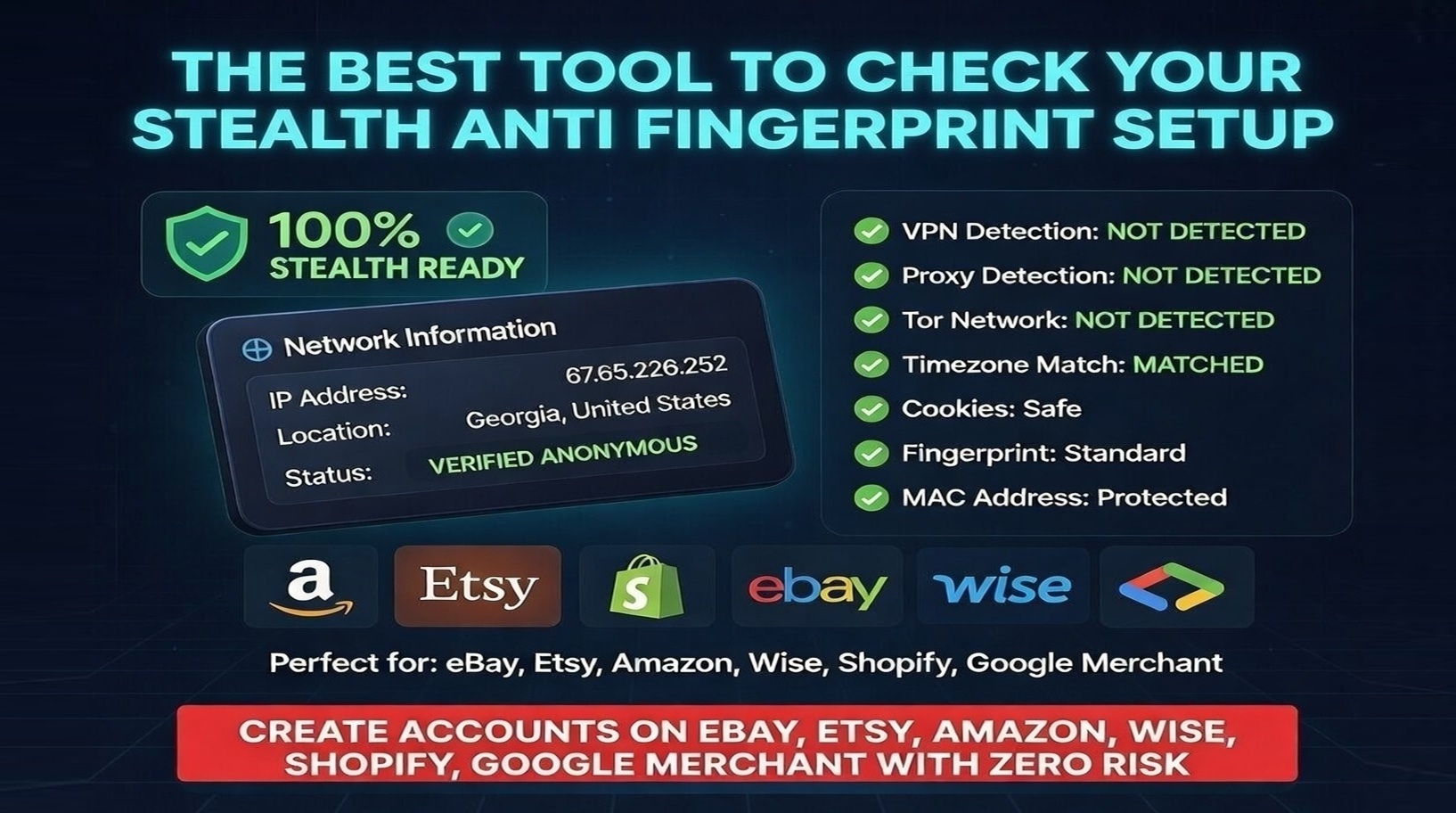
- Network Information: It shows my ISP as AT&T, which matches my residential proxy. Green check.
- ISP Type: Residential. Perfect. Data center IPs get flagged instantly.
- Location: Georgia. Matches my proxy location.
- Browser & OS: Chrome on Windows. Totally normal.
- VPN/Proxy Detection: Clear. This is huge—if it detects a proxy here, platforms definitely will too.
- Time Zone: Matches my IP location. No red flags.
- Cookies: Clean.
- Fingerprint: Standard. Not some weird configuration that screams “I’m hiding something.”
- MAC Address: Protected.
The final risk assessment? Zero. That’s the number you want.
Step 4: Check Platform-Specific Risks
The tool also gives you a quick read on specific platforms:
- eBay: Risk so low you can barely see it on the scale
- Etsy: Similarly low
- Amazon: Shows as medium
Why is Amazon higher? Because Amazon is paranoid (and rightfully so). They check way more signals than eBay does. Creating Amazon accounts requires extra tweaks to your setup. I’m planning a whole video on that soon because it deserves its own walkthrough.
What “Green” Actually Means
When I look at a test result, here’s what I’m checking for:
Network Info: Must match my proxy location and ISP type. If it says “Data Center” under ISP type, I stop right there and find a better proxy.
Device Info: Should look like a real person’s computer. Nothing exotic.
Security Analysis: This is the big one. Cookies safe, fingerprint standard, MAC protected. Any red flags here mean platforms will see them too.
If everything’s green, I proceed to account creation with confidence.
The One Thing I Wish I’d Known Earlier
You know what I used to do? I’d test my setup after creating the account. Log in, then run checks. By then it’s too late. The platform already has your fingerprint. If something’s wrong, they know. You’re just waiting for the suspension email.
Testing first takes five minutes and saves hours of frustration.
Common Issues I See (And How to Fix Them)
Problem: Proxy shows as data center
Fix: Get residential proxies. They cost more but they’re worth every penny.
Problem: Time zone doesn’t match IP
Fix: Check your browser settings. Sometimes Multilogin profiles need manual time zone adjustment to match your proxy.
Problem: Fingerprint shows as “unusual”
Fix: You probably tweaked too many settings. Start with a standard profile and only change what’s necessary.
Problem: Cookies aren’t safe
Fix: Clear them before testing. Old cookies can link accounts.
When You’re Ready to Create
Once you get that green light across the board, go ahead and create your account. The platform will see someone who looks completely normal—right location, right setup, no red flags.
Will that guarantee approval? Nothing in this game is 100%. But it dramatically improves your odds. I went from about a 40% success rate on new accounts to easily 90%+ just by testing first.
Want to Try It?
The detector tool is free for our community. Just head to detector.ebayspyonline.com , run your setup through it, and see where you stand.
If you’re not using a proper antidetect browser yet, I’d strongly recommend Multilogin . It’s what I use for all my accounts, and i have got you a DISCOUNT ON MONTHLY SUBSCRIPTION FOR YOU HERE IS THE COUPON CODE USE IT DURING CHECKOUT : StealthX . Makes it cheaper than dealing with banned accounts.
HERE IS A DETAILED VIDEO TUTORIAL ON HOW TO CHECK :
Questions?
I try to answer every comment on my videos. If you run into something weird with your setup—especially Amazon, since that one’s tricky—drop a question and I’ll either answer directly or make a video covering it.
And if this saved you from one more banned account, consider subscribing to the channel. I put out tutorials on this stuff regularly, usually showing the exact setups I’m using myself.